Cloud-based setup (using GitHub codespaces)
If you are not allowed to install VIKTOR locally at your organization or your computer does not meet all the requirements for development with the VIKTOR platform, for instance because you have an Apple device, you can choose to use a remote development environment. A remote development environment is an environment that is hosted in the cloud and can be used together with a code editor in the browser. Examples of remote development environments are GitHub Codespaces, GitPod, and Replit.
Setup instructions
Follow the steps below for a cloud-based setup using GitHub codespaces:
-
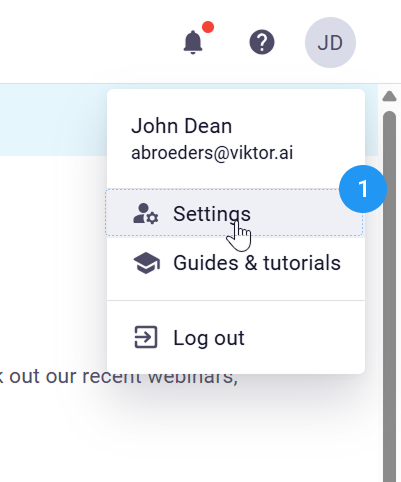
Go to your Personal settings
-
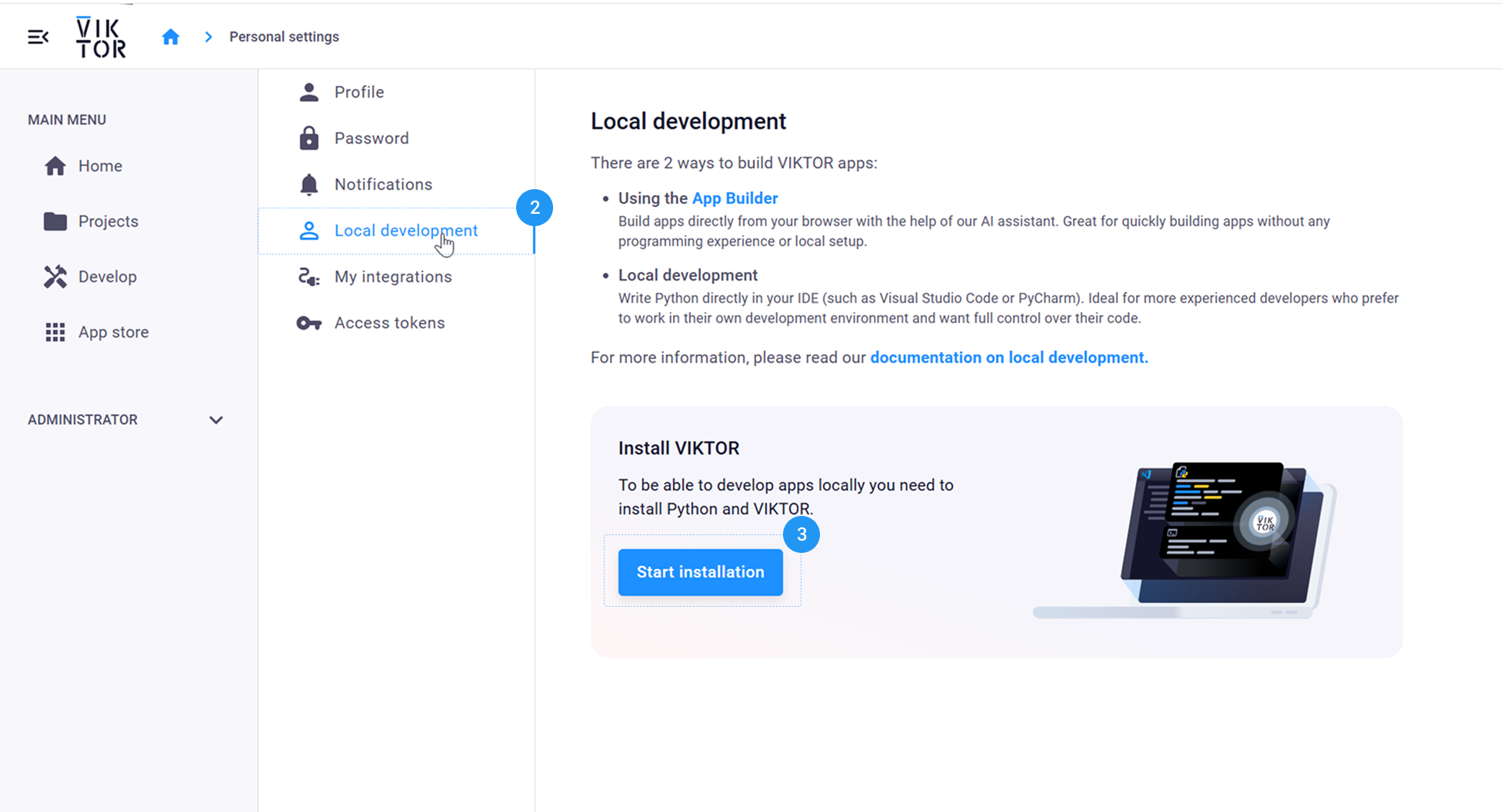
In the menu go to Local development
-
Here you click on Install VIKTOR
-
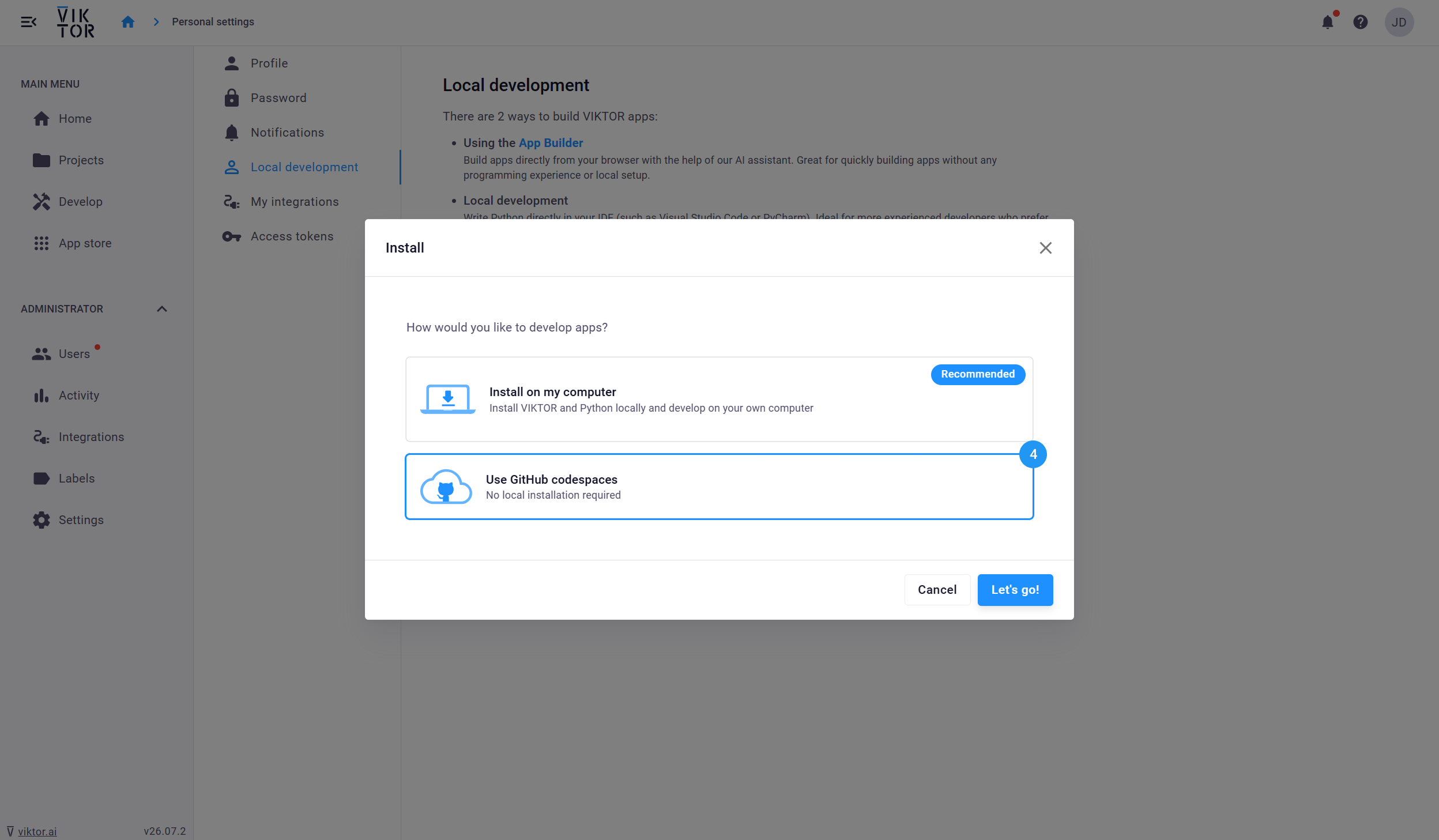
In the pop-up select Use GitHub codespaces
-
The pop-up will guide you through the rest of the installation process.
Congratulations, you are now ready to start coding your first VIKTOR app! We recommend continuing with the starter guide to learn how to do this. 🚀
You can find all your codespaces, grouped by repository, in the dashboard: https://github.com/codespaces. For more info about codespaces please refer to the official codespaces docs.